Turn PDFs, slides, and lectures into cited study notes.
Drop in your course materials for study guides, Cornell notes, or exam sheets linked back to every page.
Free to start · No credit card needed

SN1 vs. SN2 Reaction Mechanisms
SN2 runs in one concerted step with backside attack and stereochemical inversion. SN1 runs in two steps through a planar carbocation, producing a racemic mixture.
Methyl and primary substrates favor SN2; tertiary favors SN1. Polar aprotic solvents speed up SN2, while polar protic solvents stabilize SN1 carbocations.
Secondary substrates can follow either route—check nucleophile strength and solvent before committing.
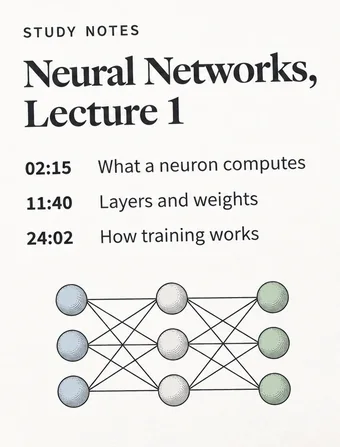
Any note structure, one editable page.
Chapter study guide
Key concepts, worked examples, and common exam pitfalls organized by heading.
Cornell notes
Cue questions paired with concise explanations and a bottom synthesis.
Comparison & formula sheet
Side-by-side tables and condensed equations ready for rapid pre-exam review.
Connected to practice
Turn any section of your notes directly into source-linked flashcards or a quiz.
How study notes work
- Grounded in your course files
- Upload PDFs, lecture slides, Word docs, web articles, or YouTube videos—or start from a topic and attach course files later.
- Exact pages & timestamps
- Every note section built from your files stays linked to its original page, slide, or video moment so you can double-check full context anytime.
- Any structure in one editor
- Ask in plain words for a chapter study guide, Cornell notes, outline, comparison chart, or formula sheet—and edit every paragraph directly.
- Connected to flashcards & quizzes
- Notes live beside your sources in the same space, making it one step to turn key sections into flashcards or a quiz.
FAQ
In a general chatbot, summaries get buried in chat history and lose touch with the source file. Winda saves every note as an editable document beside your original PDFs and slides, keeps citations linked, and connects straight to spaced-repetition flashcards and quizzes.
No. You can start from a topic prompt right away and add your course PDFs, slides, or lecture links into the same study space whenever you are ready.
Yes. Every generated note is a full editable document in your study space—rewrite paragraphs, adjust headings, or ask Winda to expand a tough concept.
No. Reading and editing your saved documents—and reviewing flashcards or quizzes—never uses AI credits. Only AI generation uses credits; see Pricing.
Turn your next chapter into notes you can actually review.
Free to start · No credit card needed