Infographic of a topic's key points
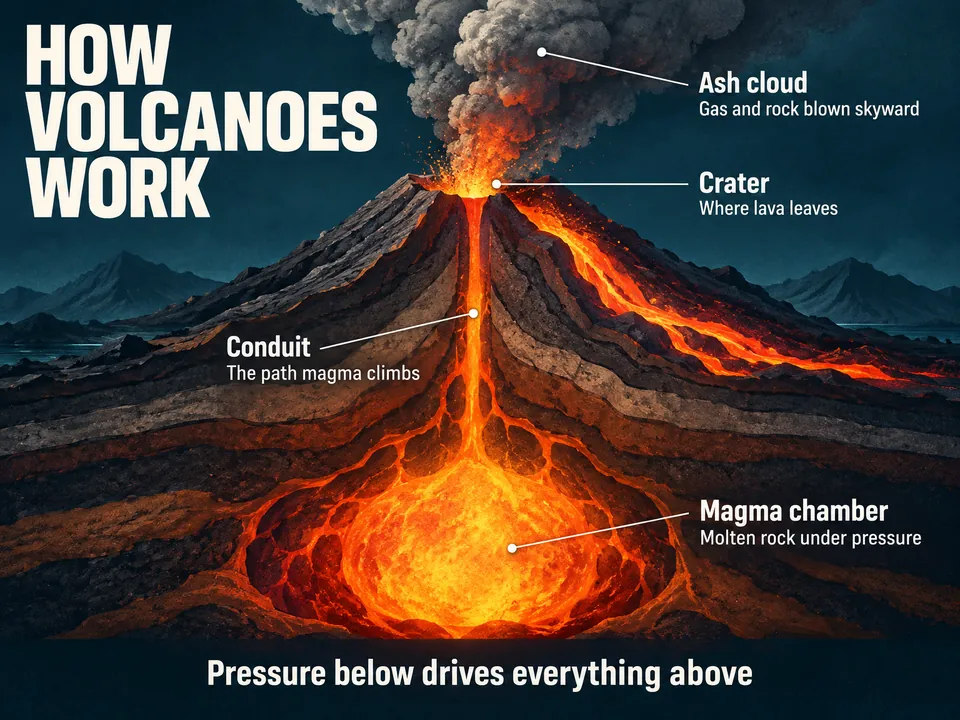
Name a topic. Winda puts its key points on one page: a large illustration, four points around it joined to the parts they are about, and a takeaway.
Free to start · No credit card needed
What you get
- One large illustration
- The subject itself, drawn large enough to show its parts.
- Four points
- A short heading and one line each, joined to the part of the drawing it is about.
- One takeaway
- A line across the foot that sums the page up.
How it works
Say what it is about
Name a topic, or add a PDF, a lecture video, an article or your own notes. With files, the result is written from them.
Winda makes it
The template sets the form, so you do not write a prompt. You choose the model that does the work: Claude, GPT, Gemini and others.
Keep it and change it
The result is saved in your project beside your files and chats. Ask for a change in the chat, or make flashcards and a quiz from the same material.
Questions
No. It is made to sum up a topic you study. It carries a few words and no charts of exact data.
No. The result is a picture, not an editable canvas. To change it, say what to change in the chat, and Winda draws it again from the first one.
Not always. Winda decides the words before it draws and lists them in its reply, so you can check the picture against them. When a word comes out wrong, ask for the picture again.
More templates
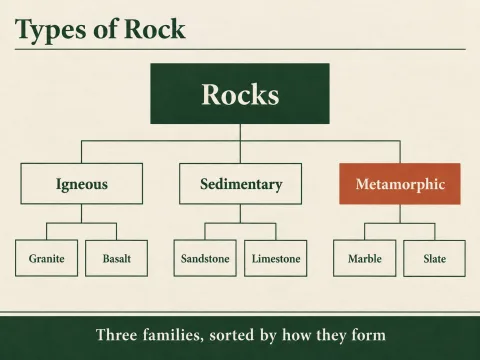 Tree diagramOne thing at the top and the kinds or parts it divides into, level by level.
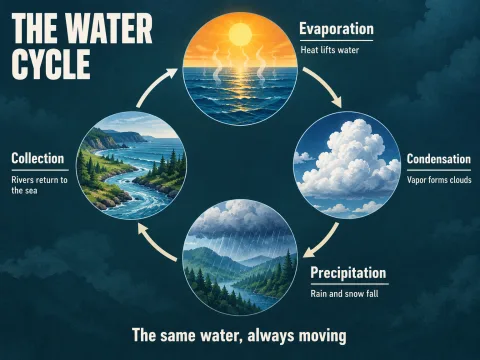 Cycle diagramThe stages of a process that returns to its start, set around a ring.
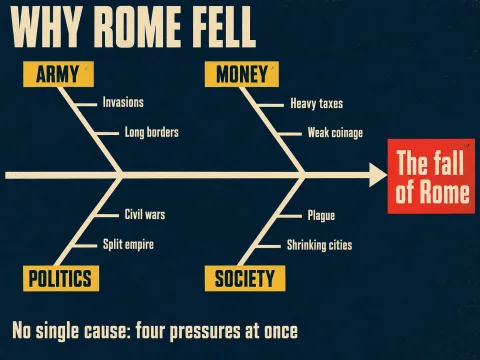 Cause and effectOne effect and the groups of causes that lead to it, in the fishbone layout.
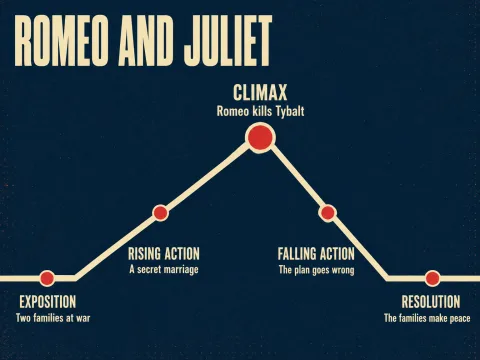 Plot diagramA story's exposition, rising action, climax, falling action and resolution on one line.
Learn deeply. Create freely.
A learning space to read, chat and create.
Free to start · No credit card needed