AI mind map maker
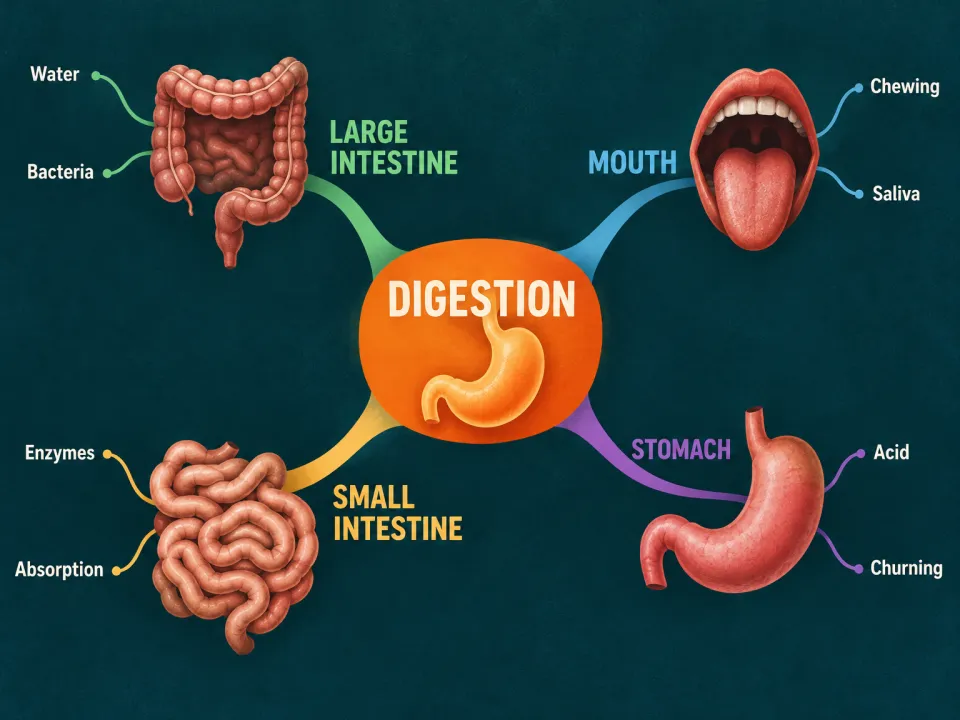
Name a topic or add your notes. Winda works out the main parts and what belongs to each, and draws them as a mind map: one center, a colored branch for each part, and twigs for the detail.
Free to start · No credit card needed
What you get
- One center
- The topic in the middle, with a small picture of it.
- Four or five main branches
- One for each main part of the topic, each in its own color.
- Twigs
- Two or three on each branch, each with one or two words. The content is taken from your material or from the topic.
When a mind map helps you learn
A mind map puts one topic in the center of a page and lets its parts branch out from it. The author Tony Buzan made the form popular in the 1970s. It is also called a spider diagram. A branch carries a word or two, never a sentence, and each main branch has its own color.
It is a good tool for two jobs. The first is an overview: at the start of a topic, a mind map shows you all its parts on one page before you study any of them. The second is recall: at the end, you draw the map from memory, and the empty branches show what you have forgotten.
A mind map shows what belongs under what. It does not show how the parts act on each other. For that, use a concept map, where the arrows carry words. The most useful way to use a map made for you is to look at it for a minute, hide it, and draw it again on paper.
How it works
Say what it is about
Name a topic, or add a PDF, a lecture video, an article or your own notes. With files, the result is written from them.
Winda makes it
The template sets the form, so you do not write a prompt. You choose the model that does the work: Claude, GPT, Gemini and others.
Keep it and change it
The result is saved in your project beside your files and chats. Ask for a change in the chat, or make flashcards and a quiz from the same material.
Questions
A mind map is a tree: one center and branches that divide. A concept map is a network: its parts are joined by arrows that say how they relate. Winda has a template for each.
No. The result is a picture, not an editable canvas. To change it, say what to change in the chat, and Winda draws it again from the first one.
Not always. Winda decides the words before it draws and lists them in its reply, so you can check the picture against them. When a word comes out wrong, ask for the picture again.
Yes. Add the file to a project and name it. The branches and twigs are taken from that material.
More templates
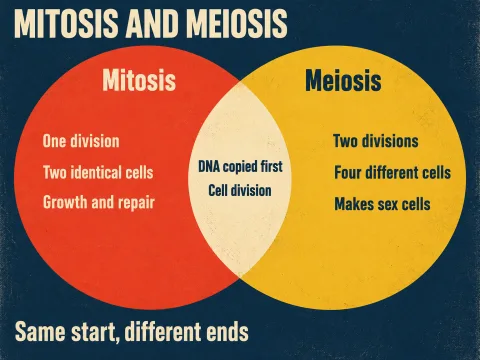 Venn diagramWhat two things share and where they differ, in two overlapping circles.
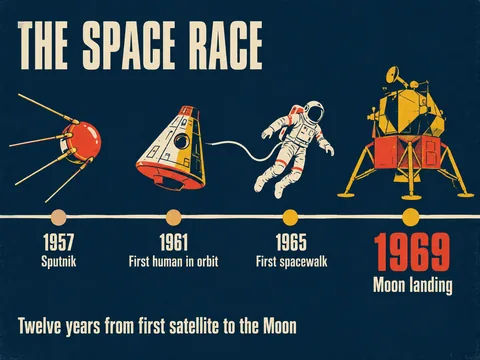 TimelineThe events of a period in order along one line, each with a picture.
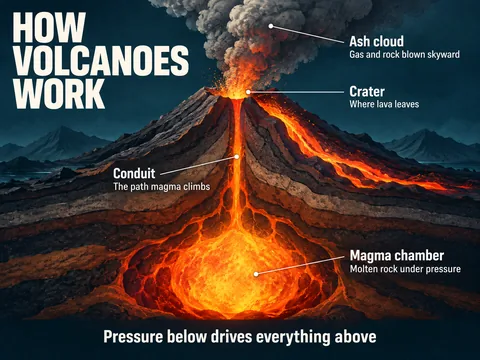 InfographicThe key points of a topic on one page, around one large illustration.
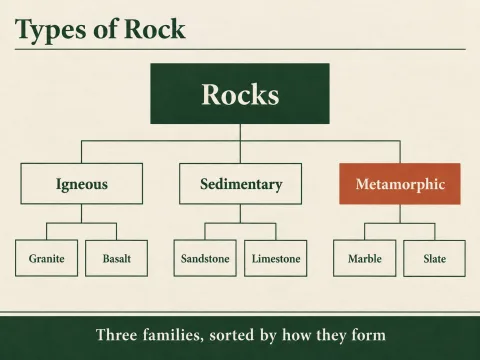 Tree diagramOne thing at the top and the kinds or parts it divides into, level by level.
Learn deeply. Create freely.
A learning space to read, chat and create.
Free to start · No credit card needed